The global market for smart wearables, IoT, and health data platforms is growing at an unprecedented pace, with custom smartwatches becoming a cornerstone for developers building specialized applications. However, many developers face persistent pain points: difficult device connectivity, unstable data transmission, and a lack of reliable SDK support that hinders project progress. The key to overcoming these challenges lies in choosing a custom smartwatch solution with comprehensive SDK/API support—one that simplifies wearable integration and ensures seamless data flow between devices and your app. At Shenzhen Geyan Technology Co., Ltd., we specialize in providing such solutions, combining nearly 15 years of industry experience with robust SDK capabilities to empower developers worldwide. This guide will walk you through everything you need to know about smartwatch SDK integration, from core concepts to step-by-step implementation, with real-world insights from our custom wearable expertise.
A Software Development Kit (SDK) is a comprehensive set of tools, libraries, documentation, and code samples that enables developers to build applications compatible with specific hardware—in this case, smartwatches. A smartwatch SDK acts as a bridge between your mobile or web app and the wearable device, eliminating the need to develop core functionality from scratch and streamlining the integration process.
For developers working with custom smartwatches, the SDK plays two critical roles. First, it facilitates seamless data acquisition: it allows your app to access real-time health and activity data such as heart rate (HR), blood oxygen (SpO2), step count, sleep patterns, and more—all essential for building HealthTech, fitness, or remote monitoring applications. Second, it enables device control: through the SDK, you can send commands to the smartwatch, such as triggering notifications, adjusting vibration patterns, customizing watch faces, and even controlling Bluetooth calling features.
Without a reliable smartwatch SDK or wearable SDK, developers face a host of obstacles: they must manually code Bluetooth connectivity, struggle with inconsistent data formatting, and waste time troubleshooting compatibility issues. This not only delays project timelines but also increases the risk of poor user experiences. For example, a fitness app developer without access to a robust smartwatch API might struggle to sync real-time workout data, leading to frustrated users and lost engagement. At Geyan Technology, our SDKs are designed to eliminate these pain points, providing developers with the tools they need to focus on building innovative features rather than fixing integration errors.
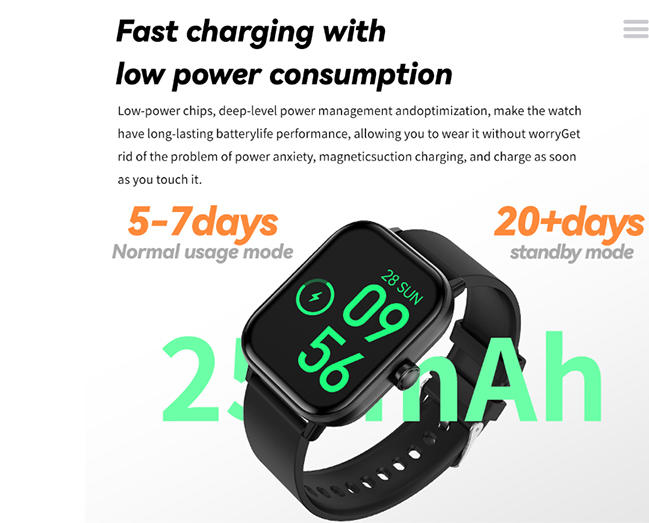
To successfully integrate a custom smartwatch with your app, you need to understand the core components that power the connection. These components work together to ensure stable communication, reliable data transfer, and cross-platform compatibility—all of which are supported by Geyan Technology’s SDKs and our flagship G42 AMOLED Smart Watch.
Bluetooth Low Energy (BLE) is the primary communication protocol for smartwatches, and for good reason: it offers ultra-low power consumption, making it ideal for battery-powered wearables that need to operate for days on a single charge. Unlike traditional Bluetooth, BLE is designed for short-range, low-data-rate communication—perfect for transmitting health metrics, notifications, and control commands between the smartwatch and your app.
The data transmission logic of BLE for smartwatches follows a simple yet effective flow: the smartwatch acts as a peripheral device, broadcasting data (such as heart rate readings) to a central device (your mobile app). The central device scans for nearby BLE smartwatch devices, initiates a connection, and then establishes a secure channel for data exchange. Geyan Technology’s custom smartwatches, including the G42 AMOLED Smart Watch, are equipped with advanced BLE modules that ensure stable connectivity even in high-interference environments, making bluetooth wearable integration seamless for developers.
GATT (Generic Attribute Profile) is the foundation of BLE data exchange, defining how devices communicate and organize data. It operates on a client-server model: the smartwatch acts as the server, storing data in a structured format, while your app acts as the client, requesting and receiving that data. GATT organizes data into a hierarchy of services and characteristics—for example, a “Heart Rate Service” contains a “Heart Rate Measurement Characteristic” that stores real-time HR data.
When integrating a custom smartwatch, you’ll need to define the GATT profile that aligns with your app’s needs. For health-focused apps, this might include services for heart rate, SpO2, sleep, and blood pressure—all of which are supported by Geyan’s SDKs and the G42 AMOLED Smart Watch. The data structure is standardized (using UUIDs for services and characteristics) to ensure compatibility, but custom GATT profiles can also be created for specialized use cases, such as industrial safety monitoring or remote patient care. Our SDK provides detailed documentation on GATT profile smartwatch implementation, including sample code for reading and writing BLE data structure, so you can quickly configure data access according to your project requirements.
Mobile app integration is a critical component of smartwatch connectivity, as most users interact with their wearables through a companion app. Android and iOS handle smartwatch integration differently, and understanding these differences is key to building a cross-platform solution.
Android APK support is particularly important for developers, as Android devices offer greater flexibility for custom wearable integration. Geyan Technology’s SDK includes Android libraries that simplify the process of scanning for BLE devices, establishing connections, and syncing data—with full support for APK installation and customization. For iOS, there are stricter limitations due to Apple’s closed ecosystem, such as restricted background data sync and limited access to certain hardware features. Our SDK addresses these limitations by providing iOS-compatible tools that ensure reliable data synchronization, even within Apple’s guidelines.
The data sync mechanism varies slightly between platforms but follows a consistent core principle: data is collected by the smartwatch, transmitted to the companion app via BLE, and then synced to a cloud platform (for IoT applications) or stored locally. Geyan’s SDK supports both local app processing and cloud integration, making it easy to build scalable solutions for wearable app development—whether you’re targeting Android, iOS, or both.
Integrating a custom smartwatch with your app doesn’t have to be complex—especially with the right SDK and a clear step-by-step process. Below is a detailed guide to help you connect your app to a custom smartwatch, using Geyan Technology’s SDK and G42 AMOLED Smart Watch as examples.
The first and most critical step is selecting a custom smartwatch that offers comprehensive SDK and API support. Not all smartwatches are designed for developer integration—many off-the-shelf models lack the documentation and tools needed for custom app development. When evaluating options, look for two key features: detailed SDK documentation (including code samples, API references, and troubleshooting guides) and support for secondary development (so you can customize hardware and software to fit your app’s needs).
At Shenzhen Geyan Technology, we specialize in OEM and ODM smartwatch customization, and all our devices—including the G42 AMOLED Smart Watch—come with a complete SDK/API package. Our SDK includes detailed documentation for BLE integration, GATT profile configuration, and data synchronization, along with dedicated technical support to help you resolve any issues. We also support full secondary development, allowing you to customize everything from hardware components (like sensors and screens) to software features (like UI and watch faces)—ensuring your smartwatch perfectly aligns with your app’s goals.
Once you’ve selected a smartwatch with SDK support, the next step is to establish a BLE connection between the device and your app. This process involves three key steps: scanning for devices, pairing, and establishing a secure connection.
First, use the SDK’s BLE scanning tools to detect nearby smartwatches. Geyan’s SDK includes pre-built scanning functions that filter devices by UUID, making it easy to identify your custom smartwatch (e.g., the G42 AMOLED Smart Watch) among other BLE devices. Next, initiate the pairing process: the smartwatch will send a pairing request, and your app will prompt the user to confirm (either via the app or the watch itself). Finally, establish a secure connection by authenticating the device—our SDK handles encryption and authentication automatically, ensuring data privacy and security.
For developers using Android Studio, Geyan’s SDK includes tools to simplify BLE connection setup, including USB driver support and ADB debugging guidance—eliminating the need to manually configure development environments. As noted in industry best practices, enabling Bluetooth debugging on the smartwatch (by accessing developer options) is a key step, and our SDK documentation provides clear instructions for this process across all our devices.
With a stable BLE connection established, you can now access real-time data from the smartwatch. The specific data points you can access depend on the watch’s sensors and your app’s needs, but common metrics include heart rate (HR), blood oxygen (SpO2), step count, sleep patterns, and sports activity data—all of which are supported by the G42 AMOLED Smart Watch.
Using Geyan’s SDK, you can easily configure data read requests: simply call the appropriate API functions to subscribe to specific data services (e.g., heart rate service) and receive real-time updates. For example, to access heart rate data, you’ll subscribe to the GATT heart rate characteristic, and the SDK will automatically push updates to your app as the watch collects new data. This ensures your app has access to accurate, real-time wearable data—critical for HealthTech, fitness, and remote monitoring applications.
Our SDK also supports batch data collection, allowing you to retrieve historical data (e.g., past 7 days of sleep data) for analysis and reporting. This flexibility makes it easy to build apps that offer both real-time insights and long-term trend tracking—all powered by reliable health data API tools.
The final step is syncing the collected data to your platform—either a local mobile app or a cloud-based IoT platform. Local app processing is ideal for simple applications (e.g., a personal fitness tracker), where data is stored on the user’s device and used for in-app insights. Cloud sync, on the other hand, is essential for IoT applications (e.g., industrial safety monitoring or remote patient management), where data needs to be accessed across multiple devices or analyzed at scale.
Geyan’s SDK supports both local and cloud sync options. For local sync, the SDK provides tools to store data in the app’s local database, with built-in functions for data sorting and retrieval. For cloud sync, we integrate with popular IoT platforms (e.g., AWS IoT, Azure IoT) and provide custom cloud integration tools, allowing you to seamlessly send data from the smartwatch to your cloud server. This ensures your data is accessible anywhere, anytime—whether you’re building a consumer app or an enterprise IoT solution.
Even with the right SDK, developers may encounter challenges during smartwatch integration. Below are the most common issues and practical solutions—drawn from Geyan Technology’s nearly 15 years of experience in custom wearable development.
One of the most common issues is unstable BLE connectivity, which can lead to dropped data, delayed updates, and poor user experiences. This is often caused by signal interference (e.g., from other Bluetooth devices) or inadequate firmware support.
Solution: Geyan’s SDK includes signal optimization tools that reduce interference and improve connection stability. Our custom smartwatches, including the G42 AMOLED Smart Watch, are equipped with high-performance BLE modules and optimized firmware that minimize connection drops. Additionally, our technical support team can help you adjust BLE parameters (e.g., connection interval, advertising interval) to fit your specific use case—whether you’re building a fitness app for consumers or an industrial monitoring solution for enterprise clients.
Many developers struggle with limited data access, as some smartwatch manufacturers restrict access to certain sensors or data points—hindering the functionality of their apps.
Solution: Choose a smartwatch manufacturer that offers open APIs and unrestricted data access. At Geyan Technology, we provide full access to all sensor data (including HR, SpO2, blood pressure, and ECG) through our SDK, with no hidden restrictions. Our custom smartwatches are designed for developers, so you can access every data point you need to build feature-rich applications. For example, the G42 AMOLED Smart Watch provides 24/7 health monitoring data, which you can fully integrate into your app using our SDK.
Cross-platform compatibility (between Android and iOS) and device compatibility (between different smartphone models) can be a major headache for developers.
Solution: Adopt an Android-first strategy (since Android offers greater flexibility) while ensuring basic iOS compatibility. Geyan’s SDK is designed to work seamlessly across both platforms, with platform-specific libraries that address iOS limitations. We also test our SDKs on a wide range of smartphone models to ensure compatibility, and our technical support team can help you troubleshoot any device-specific issues. Additionally, our custom smartwatches support multiple BLE versions (4.2 and above), ensuring compatibility with both older and newer smartphones.
Custom smartwatches with SDK support are transforming industries across the globe, enabling developers to build specialized applications that solve real-world problems. Below are some key use cases, with examples of how Geyan Technology’s custom wearables and SDKs are powering innovation.
HealthTech & Remote Patient Monitoring: Developers are building HealthTech platforms that use custom smartwatches to monitor patients remotely, especially for chronic conditions like hypertension and diabetes. For example, a remote patient monitoring app might use Geyan’s G42 AMOLED Smart Watch to collect real-time heart rate, blood pressure, and SpO2 data, which is synced to a cloud platform for healthcare providers to access. This allows for early intervention and personalized care, improving patient outcomes while reducing healthcare costs.
Industrial IoT & Safety Monitoring: In industrial settings, custom smartwatches are used to monitor worker safety and optimize operations. For example, in automotive manufacturing, oil, or power energy industries, developers are building apps that use Geyan’s rugged custom smartwatches to track worker location, monitor environmental conditions (e.g., temperature, gas levels), and send emergency alerts. These IoT smartwatch solutions help improve workplace safety, reduce accidents, and streamline production processes—aligning with industry trends highlighted in recent industrial wearable reports.
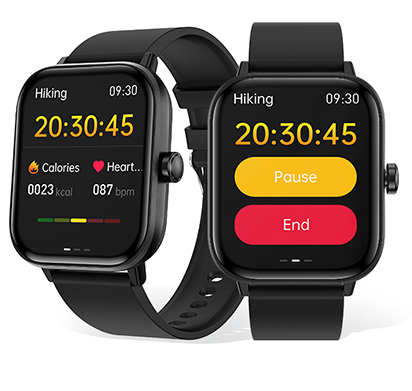
Fitness Apps: Fitness app developers are using custom smartwatches to offer personalized workout experiences. For example, a fitness app might integrate with Geyan’s G42 AMOLED Smart Watch to track 100+ sports modes (including running, cycling, and yoga), monitor real-time workout data, and provide personalized feedback. The watch’s customizable UI and watch faces also allow developers to brand the wearable to match their app, enhancing user engagement.
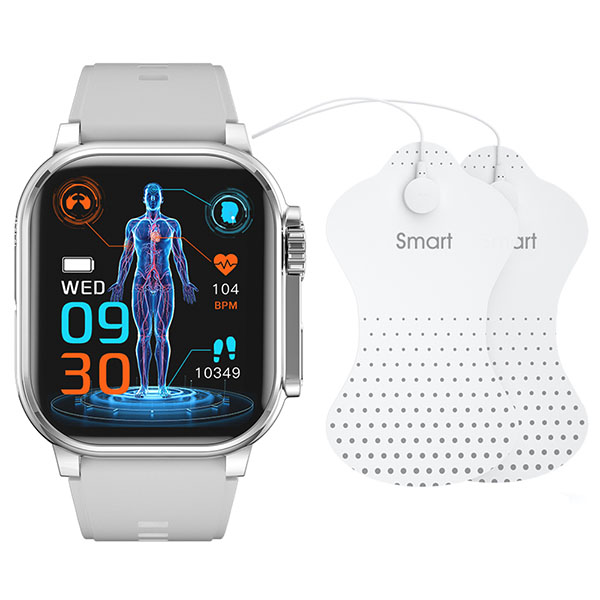
Specialized Applications: Developers are also building niche applications using custom smartwatches, such as Muslim smartwatches (with prayer time reminders) and TENS/EMS smartwatches (for pain relief). Geyan Technology’s SDK supports these specialized use cases, allowing developers to customize hardware and software to fit unique user needs—all backed by our comprehensive customization services.
When building an app that integrates with smartwatches, choosing the right manufacturer is just as important as choosing the right SDK. There’s a clear difference between standard off-the-shelf smartwatches and custom OEM/ODM devices—and for developers, custom devices with SDK support offer significant advantages.
Standard vs. Custom Devices: Standard off-the-shelf smartwatches are designed for mass consumers, with limited customization options and restricted SDK access. They often lack the flexibility needed to integrate with specialized apps, and developers may be unable to access critical data points or customize the device to fit their app’s branding. Custom OEM/ODM devices, on the other hand, are built specifically for your app—with full SDK access, customizable hardware and software, and branding options that align with your project.
Why Developers Prefer OEM/ODM with SDK Support: Developers choose OEM/ODM custom smartwatches because they offer control, flexibility, and scalability. With a custom device, you can choose the sensors, screen, battery life, and features that fit your app’s needs—no more compromising on functionality. And with SDK support, you can seamlessly integrate the device with your app, ensuring a cohesive user experience.
Geyan Technology’s Advantages: As a national high-tech enterprise with nearly 15 years of experience in smart wearable development, we offer everything developers need to build successful smartwatch-integrated apps:
Comprehensive SDK/API/GATT Documentation: Our SDK includes detailed guides, code samples, and API references, making integration fast and easy. We also provide dedicated technical support to help you resolve any issues.APK Installation Support: We fully support Android APK installation and customization, giving you the flexibility to build apps that work seamlessly with our devices.BLE Depth Customization: Our BLE modules are fully customizable, allowing you to optimize connectivity for your specific use case—whether it’s a consumer fitness app or an industrial monitoring solution.UI & Branding Customization: With the G42 AMOLED Smart Watch and our other custom devices, you can customize the UI, watch faces, straps, and packaging to match your brand—creating a cohesive user experience.Low MOQ Support: We support small-batch customization (low MOQ) as well as large-scale OEM orders, making it easy for startups and enterprises alike to access custom smartwatches.Proven Expertise: As a pioneer in China’s smartwatch industry, we’ve initiated the establishment of the Smart Wearable Industry Association and the Chip Industry Promotion Association, and we own well-known brands including Jieshilang, Jersa, and xinan—reflecting our commitment to quality and innovation.
Not all smartwatch SDK providers are created equal—choosing the right one can make or break your project. Below are the key factors to consider when evaluating SDK providers, all of which Geyan Technology excels at:
Complete Documentation: The SDK should come with detailed documentation, including API references, code samples, troubleshooting guides, and GATT profile explanations. This ensures you can quickly integrate the SDK into your app without unnecessary delays. Geyan’s SDK documentation is regularly updated and includes step-by-step tutorials for common integration tasks, as well as guidance on BLE debugging and mobile app setup.
Dedicated Technical Support: Look for a provider with a responsive technical support team that can help you resolve issues quickly. At Geyan Technology, we offer 24/7 technical support for our SDKs, with a team of experienced engineers who specialize in smartwatch integration. Whether you’re struggling with BLE connectivity or data sync, we’re here to help.
Long-Term Iteration Support: The smart wearable industry is constantly evolving, so your SDK provider should offer regular updates to support new features, sensors, and platforms. Geyan’s SDKs are regularly updated to keep pace with industry trends, and we work closely with developers to incorporate feedback and add new capabilities—ensuring your app remains compatible with the latest custom smartwatches.
Private Protocol Customization: For specialized use cases (e.g., industrial monitoring, medical devices), you may need a custom BLE protocol. Look for a provider that supports private protocol customization, allowing you to tailor the data transmission process to your app’s unique needs. Geyan Technology offers full private protocol customization, with our R&D team working closely with you to design a solution that fits your project.
Proven Track Record: Choose a provider with a proven track record in smart wearable development and OEM/ODM customization. Geyan Technology has nearly 15 years of experience, serving customers worldwide with high-quality custom smartwatches and SDKs. Our independent R&D team, advanced production facilities, and strict quality control ensure that our devices and SDKs meet the highest standards—backed by ISO certifications and industry recognition.
Integrating a custom smartwatch with your app is a powerful way to enhance user engagement, offer unique features, and tap into the growing wearable IoT market. But the key to success lies in choosing the right SDK and the right custom smartwatch manufacturer. A robust SDK eliminates integration pain points, while a reliable manufacturer ensures your device is built to your exact specifications—with the flexibility to scale as your app grows.
At Shenzhen Geyan Technology Co., Ltd., we’re more than just a custom smartwatch manufacturer—we’re your SDK partner. With nearly 15 years of experience, a comprehensive SDK package, and a wide range of customizable devices (including the G42 AMOLED Smart Watch), we provide everything you need to build smarter, more engaging wearable apps. Our commitment to innovation, quality, and customer service ensures that your project is supported every step of the way—from initial SDK integration to large-scale OEM production.
Ready to get started? Take the first step toward building a successful smartwatch-integrated app by contacting us for an SDK demo, requesting developer documentation, or starting your custom smartwatch project today. With Geyan Technology by your side, you can turn your vision into reality—and stand out in the competitive wearable market.